
All user admins' activities on all events are tracked so that an overview of your events attendance statistics can be seen in the Global Statistics section.
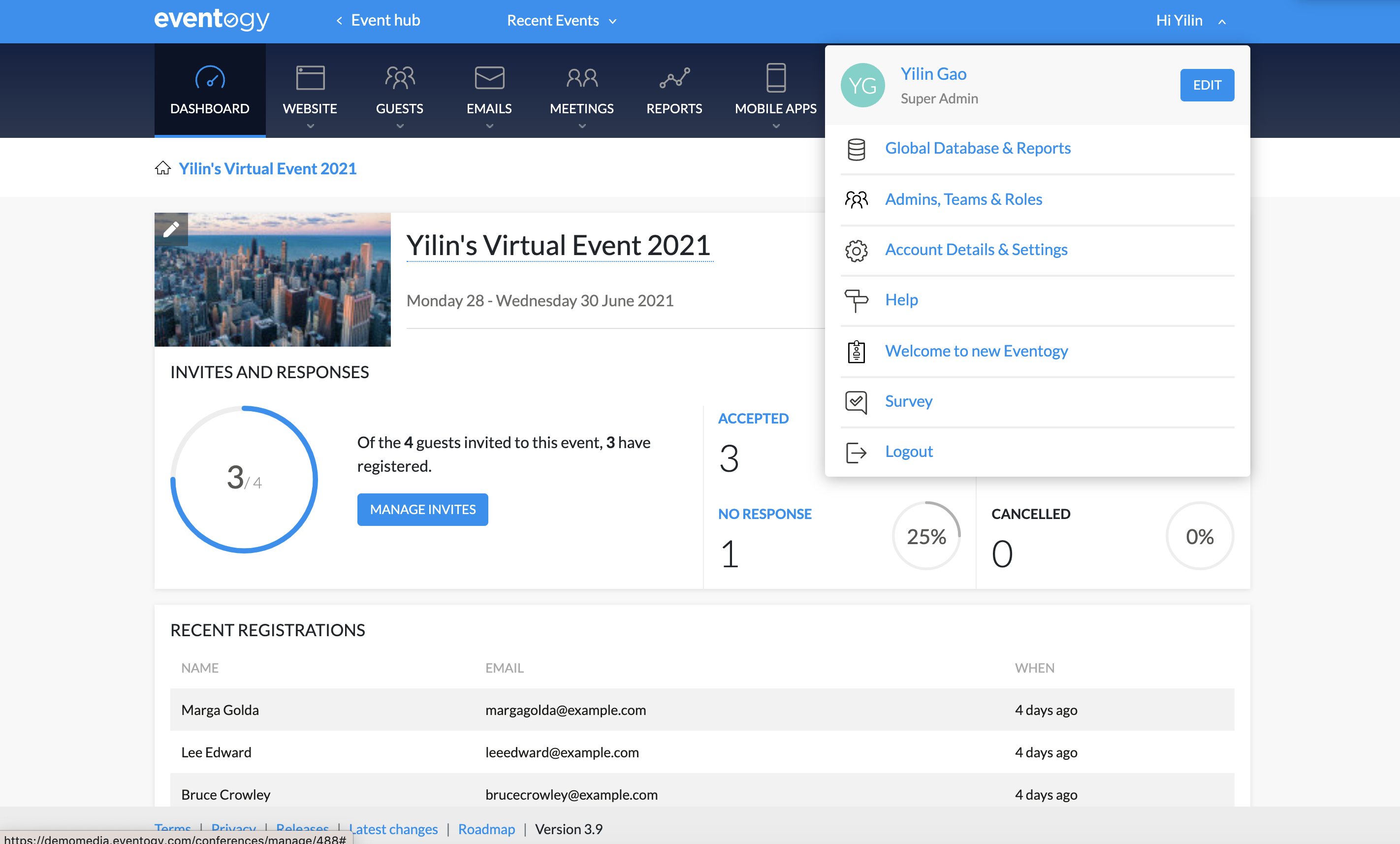
- To access Global statistics, click the Profile drop-down on the top right-hand side of your screen.
- From the list of option, select 'Global Database & Reports'. You would be directed to your database.
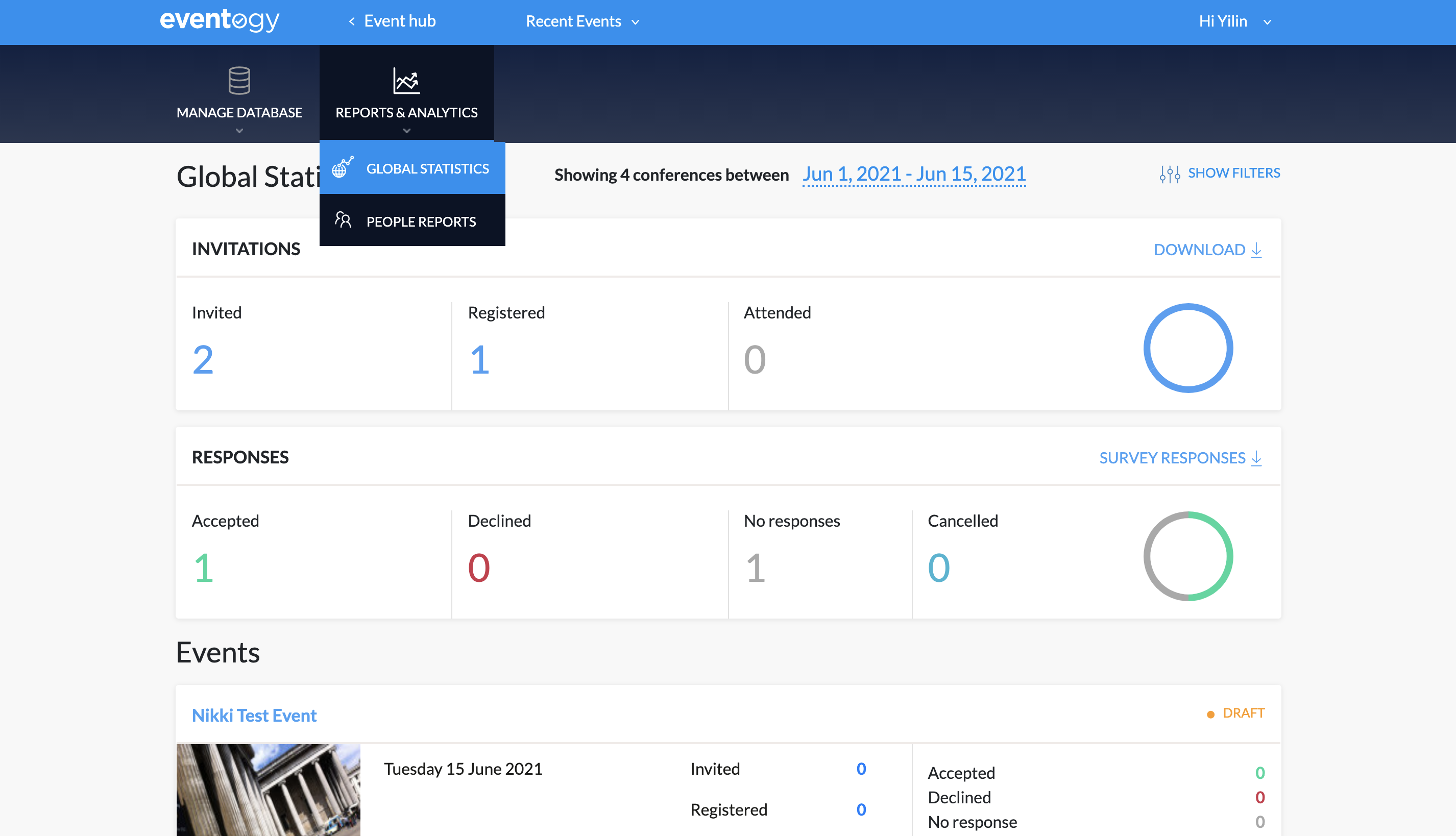
- Select 'Global Statistics' on the top menu bar. You will then be able to see statistics of the event.
Comments
0 comments
Article is closed for comments.