
Alongside with the General Agenda Virtual items, Meetings Manager meetings can also be configured as virtual items. This configuration requites to steps: configuring a virtual location and enabling a timeslot as a Virtual item.
Meetings Location
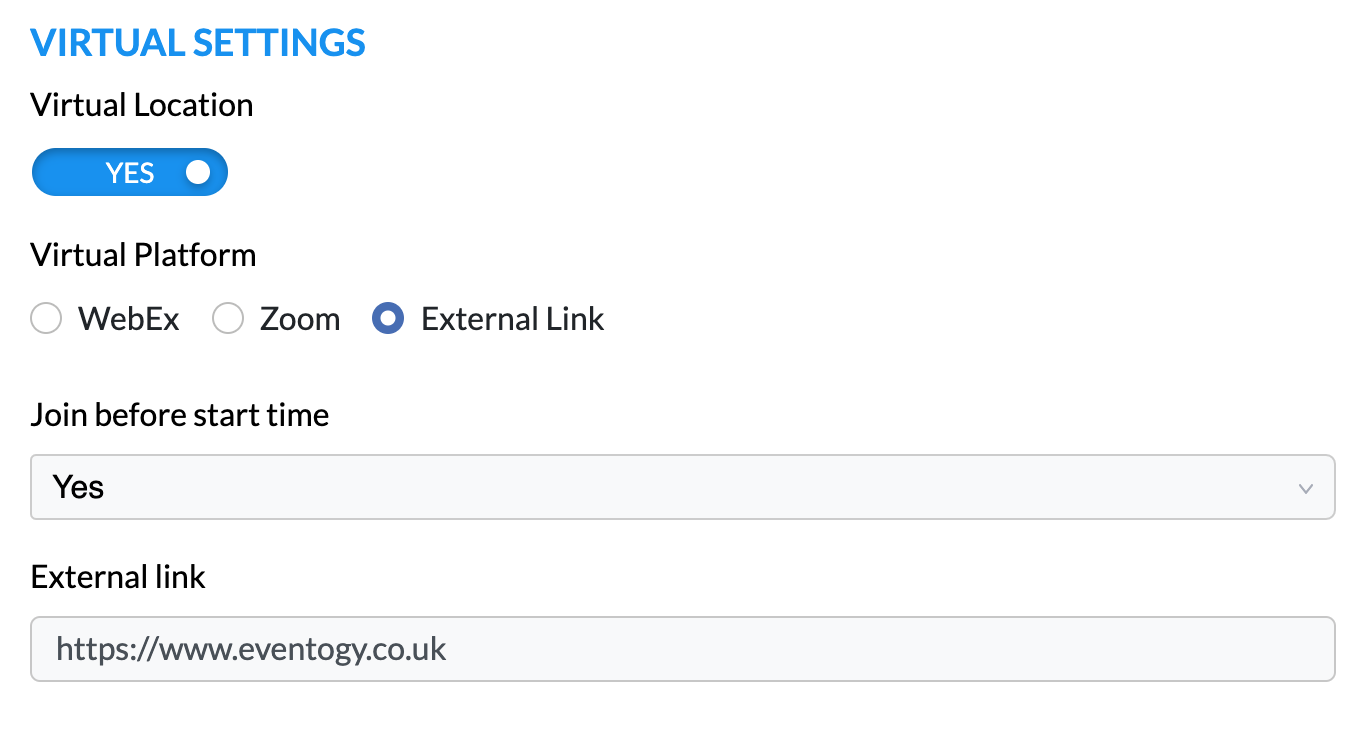
Any meeting location can be configured as a “Virtual Location”, meaning that timeslots using this location will have the option to be enabled as a Virtual Meeting
Virtual Platform
-
WebEx
-
Zoom
-
External link
Additional Options
Similar to configuring a General Agenda Item, depending on the Virtual Platform chosen, additional options can be enabled that will affect all meetings set-up for this location.
Host timeslots
The timeslots available for each of the hosts can be configured to become a Virtual Meeting, if “Yes” is selected for “Generate Virtual Meeting” question, and a properly configure Meeting Location is selected for the “Meeting Location” question.

Comments
0 comments
Article is closed for comments.